
Setting Up Event Guidelines
Quick answer: Add guidelines in Event Editor, then Settings and More. They appear on your event page and at checkout, where buyers must acknowledge them before purchasing. Editable any time.
Event guidelines set clear expectations for your attendees before they buy. They also protect you as an organizer by making your rules, including refunds, transfers, age restrictions, dress code, and more, clearly visible at checkout.
Why set event guidelines
Fewer support requests: buyers who know your refund policy in advance are less likely to dispute charges.
Legal protection: clear policies on age restrictions, ID requirements, and conduct are important for many venue types.
Better buyer experience: attendees arrive knowing exactly what to expect.
Reduced chargebacks: clear no-refund or limited-refund policies agreed to at checkout help defend against disputes.
How to add event guidelines
Go to your Event Editor.
Click Settings and More.
Scroll to the Event Guidelines section.
Type or paste your guideline text into the field.
Click Save. Your guidelines will appear on your public event page and at checkout.
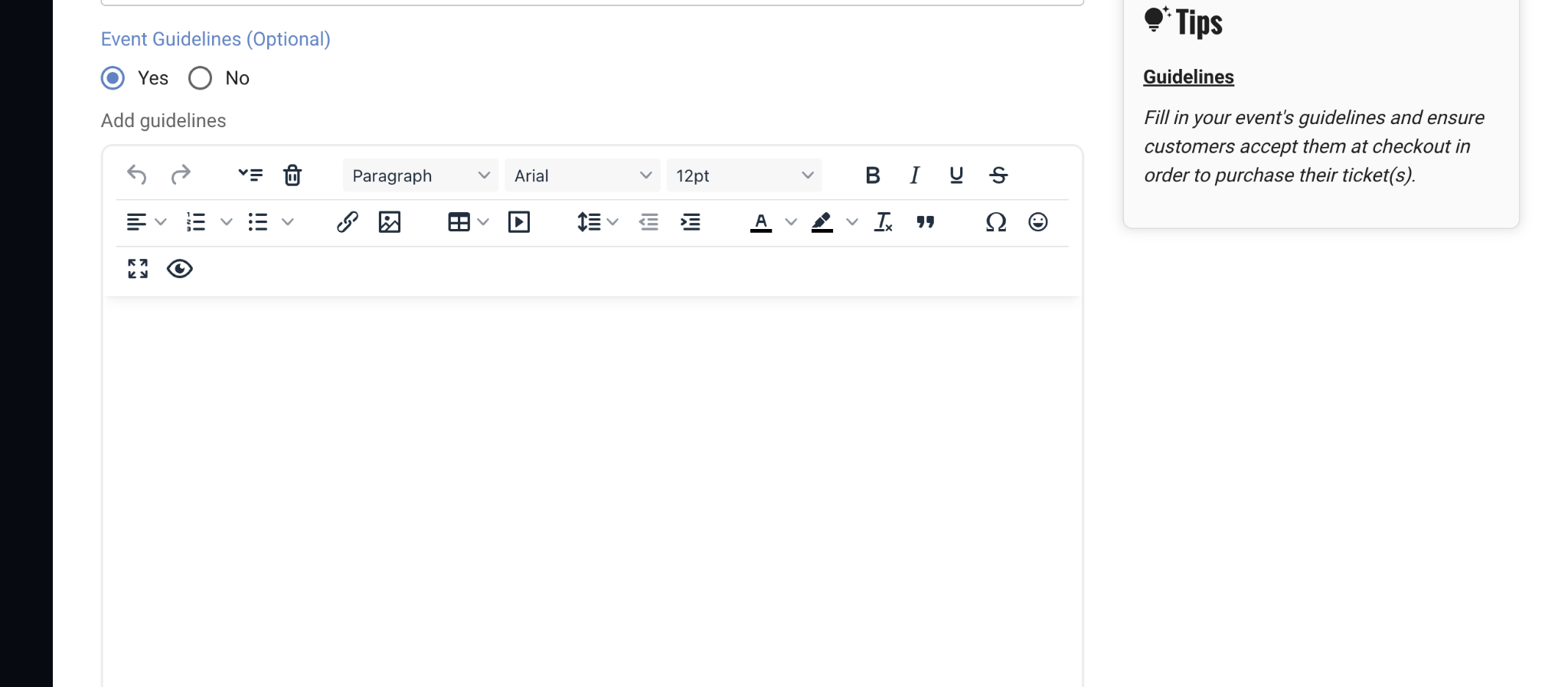
Event Guidelines: optional text editor in Settings and More
Note Guidelines are shown to buyers on your event page and during checkout. Buyers must acknowledge them before completing a purchase. This creates a clear record that your policies were communicated.
What to include in your event guidelines
Every event is different, but here are the most commonly needed policy types:
ID and entry requirements
Valid photo ID required for entry. The name on the ticket must match ID.
The ticket is non-transferable. The original buyer must be present.
Dress code
Dress code enforced: smart casual or above. No athletic wear, hats, or work boots.
Themed attire encouraged but not required.
Prohibited items
No outside food or beverages.
No professional cameras or recording equipment without prior press accreditation.
No re-entry once you leave the venue.
Health and safety
By attending, you confirm you are not experiencing symptoms of illness.
This event takes place outdoors. Organizers are not responsible for weather conditions.
Updating guidelines after publishing
You can update your event guidelines at any time, even after your event is live. Changes take effect immediately on your public event page. Buyers who have already purchased will not be automatically notified of policy changes. If you make a material change, send an email to your existing ticket holders directly from your Orders tab.