
Reading an Individual Order
Quick answer: Click any order to open the Order Detail view: buyer info, order summary, payment history, check-in status, and custom question responses.
Clicking any order in your Orders list opens the Order Detail view: a full record of everything related to that purchase. This is where you go to look up buyer information, check whether a ticket has been scanned in, review payment history, and see when and where the purchase was made.
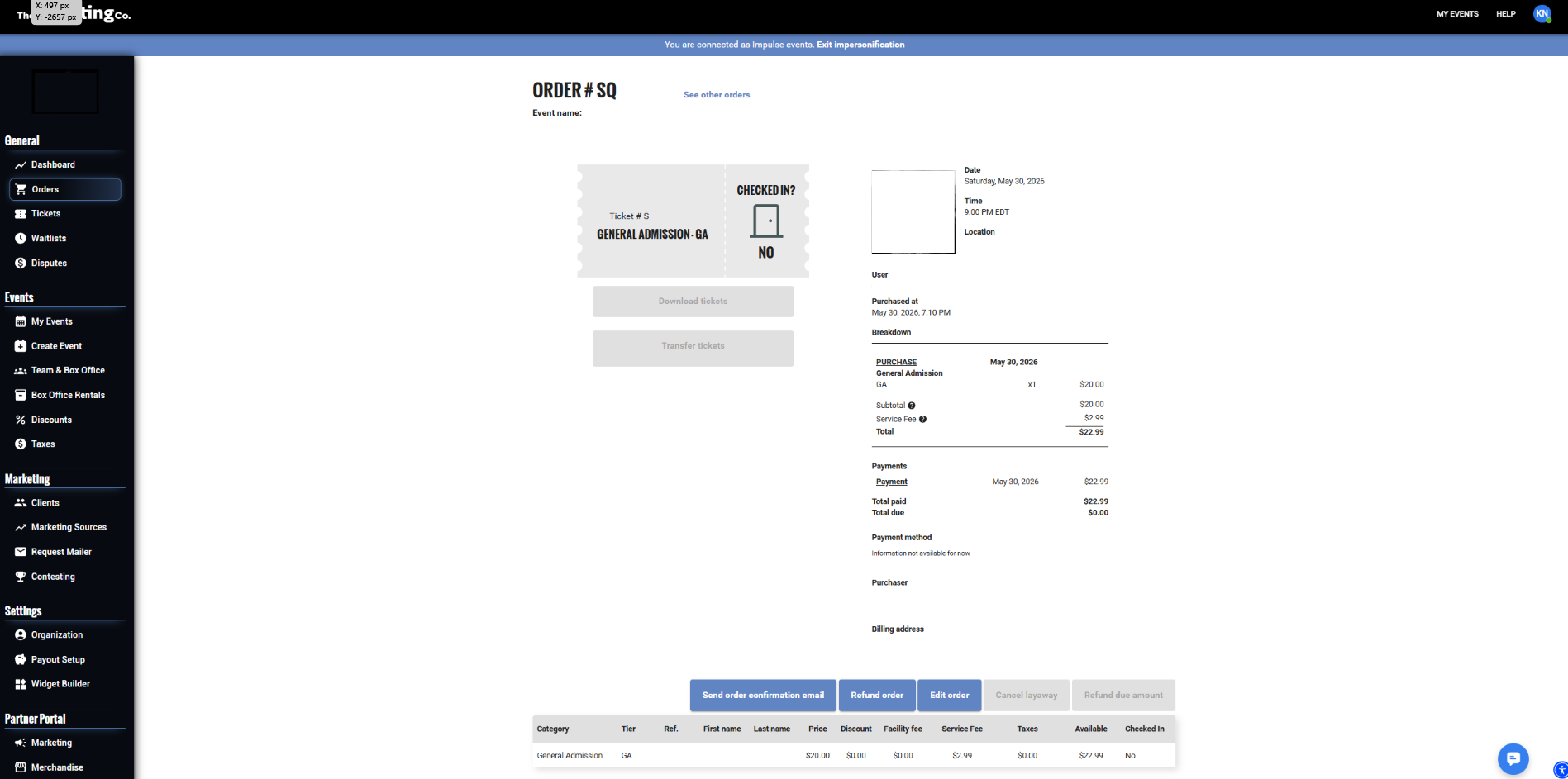
Order Detail view: buyer info, ticket summary, payment breakdown, and action buttons
Buyer information
At the top of every order you will find:
Full name
Email address
Billing address
Tip The buyer information shown is what was entered at checkout. If a buyer contacts you about a mistake (wrong email address or wrong name), reach out to hello@theticketing.co to have a Ticketing Co. team member help you update the information.
Order summary
The order summary shows:
Order number: the unique ID for this transaction
Order date: when the purchase was made
Event name: links back to the event dashboard
Ticket type(s) purchased
Quantity
Service fees
Taxes applied (if any)
Order total
Payment type: standard card, layaway, or complimentary
Custom question responses
If your event used custom questions at checkout, such as T-shirt sizes, dietary requirements, and emergency contacts, the buyer’s answers appear in a dedicated section of the Order Detail view.
Tip Custom question responses are also included in your CSV export. If you need to review responses for all buyers at once, for example to compile a catering list, export your attendees and filter or sort the relevant column.