
Venue & Location
Quick answer: Search your venue by name in the Location section and pick it from the dropdown. The map fills in automatically. Toggle Online Event for streams, or Secret Location to hide the address until a reveal date you set.
Setting your venue accurately matters beyond displaying an address. It powers the event map on your event page, helps buyers plan their journey, and determines what location data appears on tickets and confirmation emails.
Adding your venue
In the Location section, go to Search for a Venue by Name.
Start typing your venue name or address. The platform uses address lookup to find it. Select the correct result from the dropdown.
If your venue does not appear, click Can't find your venue or the information is incorrect? and enter the name and address manually.
Confirm that the venue name, address, city, state, and ZIP are all correct.
The event map populates automatically based on the address you enter.
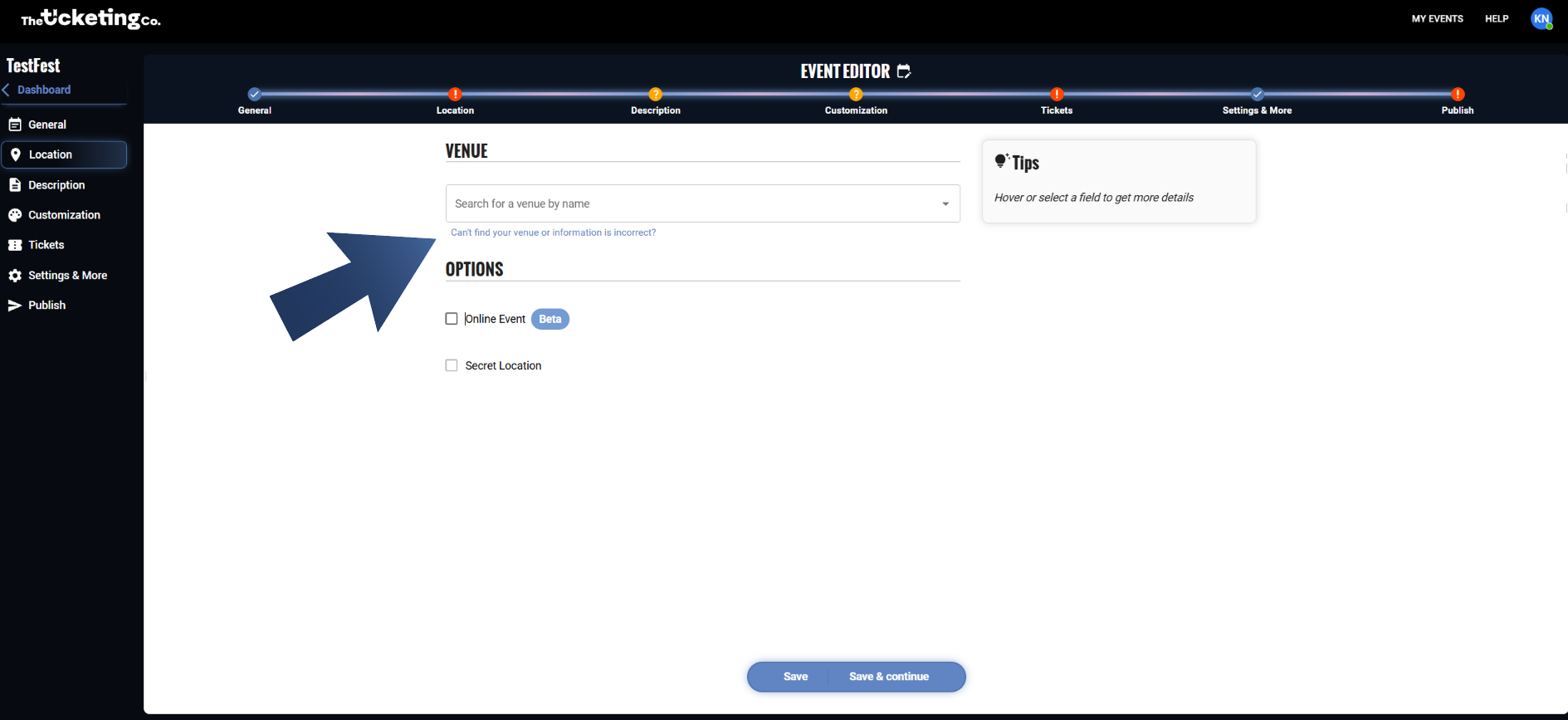
Location: Search for a Venue by Name, with the event map populated
Online events
If your event is online, toggle the Online Event option in this section. No physical venue will be displayed. Streaming links are not currently editable by organizers. The field exists in the system but there is no input box in the Location tab, so ask The Ticketing Co. to add your stream URL for now.
Secret location events
Running an event where the venue is kept secret until closer to the date? Enable the Secret Location option in this section. When active:
The venue address is hidden on the public event page.
Buyers see a placeholder message (for example, "Location to be revealed") instead of the address.
The full address is automatically sent to ticket holders by email at the time you set.
To set it up:
Toggle Secret Location on.
Set the reveal date and time: the exact moment you want the address sent to ticket holders.
The location reveal email goes out automatically at that time.
Note Secret Location is disabled for online and recurring events. The reveal-time picker only supports whole hours, and reveal emails go out within that hour rather than at an exact minute. Anyone who purchases after the reveal time receives the address immediately.
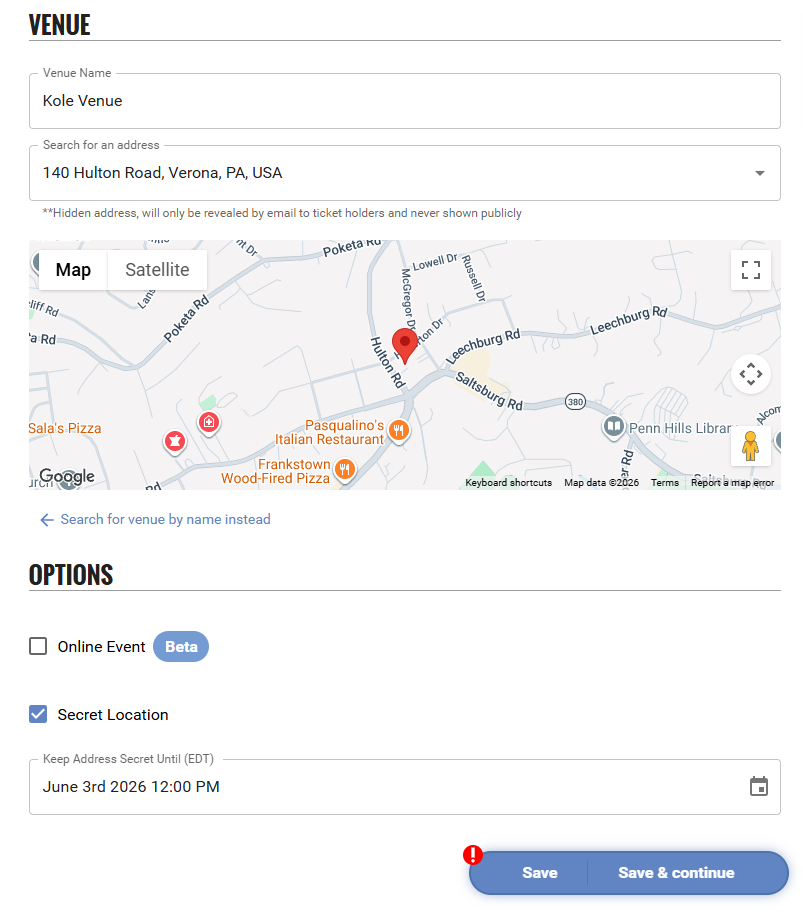
Secret Location: reveal date and time settings